
Today’s menu
Every dish comes with the plan.
One plan includes every feature below. No add-ons, no tiers: 70 QAR per branch, per month.
To start
QR menu & ordering with table sessionsincluded
One session per table visit, friends join with a 4-digit code.
Live kitchen screenincluded
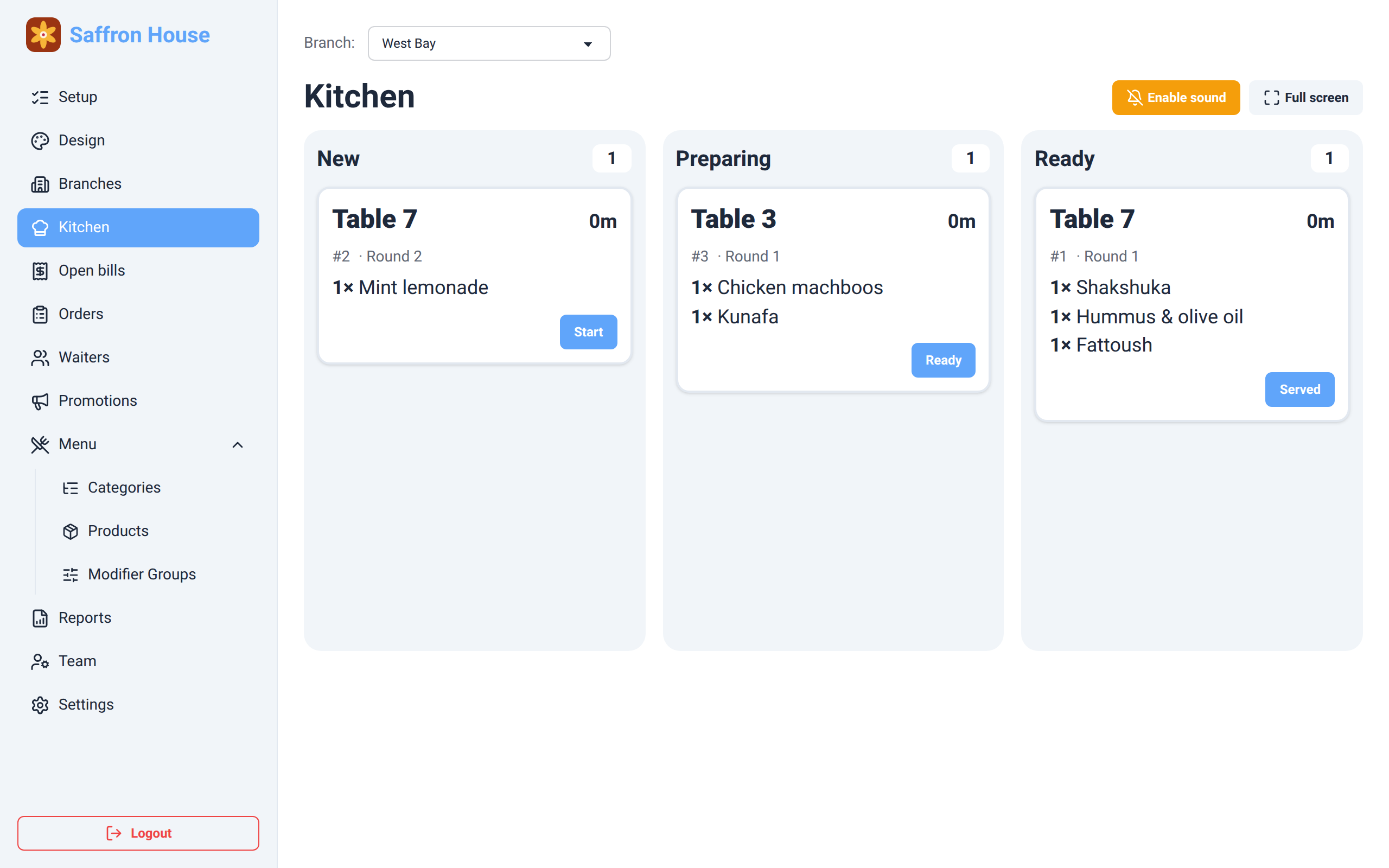
New, preparing, ready. A chime for new orders, aging colors after 10 and 20 minutes.
Mains
Visual studioincluded
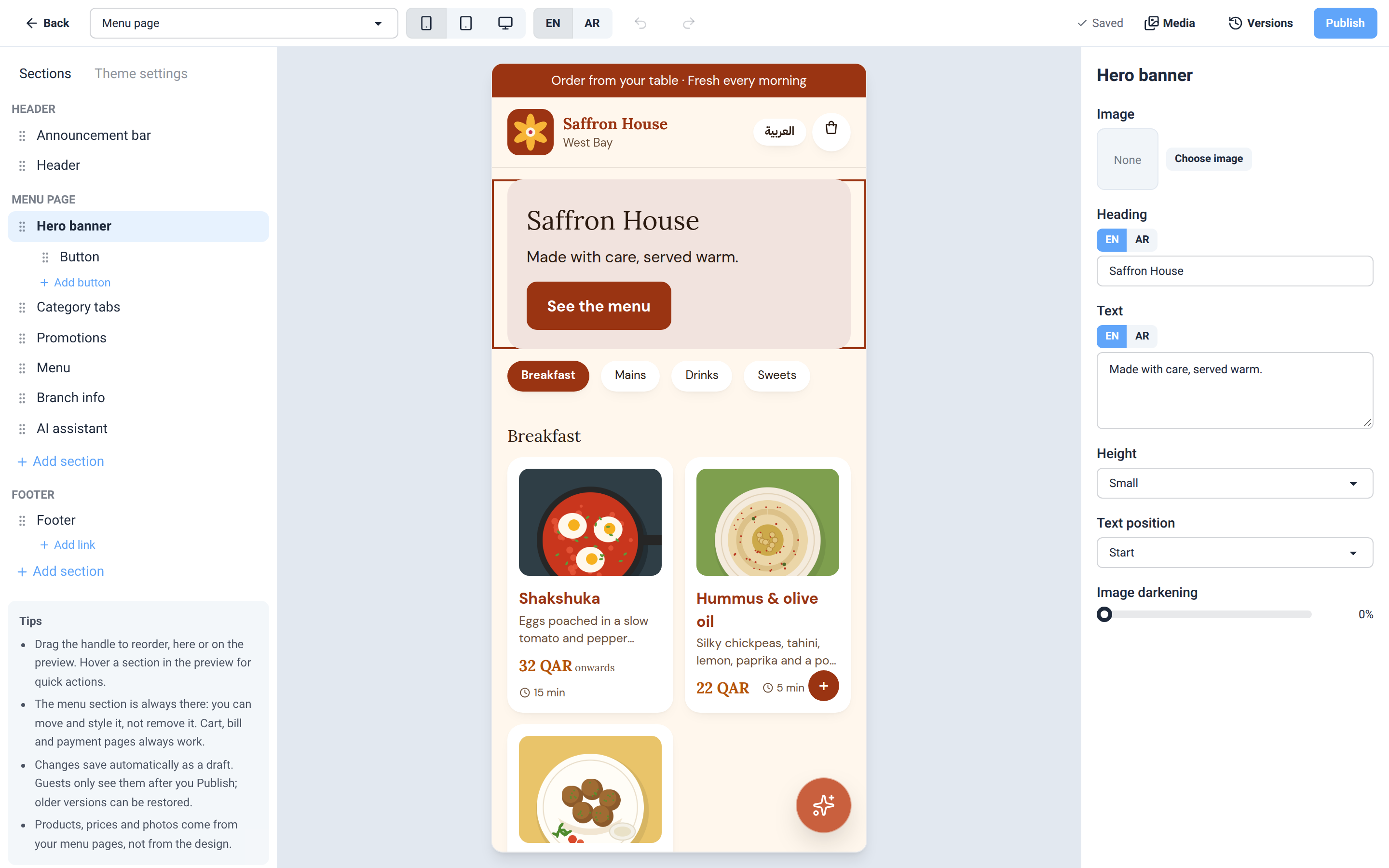
Design your menu with drag and drop: your logo, colors and fonts, then publish.
AI menu assistantincluded
Guests ask by text or voice in 8 languages: English, Arabic, French, Russian, Spanish, Urdu, Hindi and Malayalam.
One bill per tableincluded
SkipCash with your own account, or pay at the counter. Staff see open bills live.
Sides
Multi-branch menu managementincluded
Branches, staff logins and kitchen screens per branch.
Nutrition, allergens & modifiersincluded
Calories, allergens, extras and options with their prices.
Optional tips & waiter ratingsincluded
Never preselected. Tips go to the waiter on the bill.
Something sweet
Daily & monthly PDF reports by emailincluded
Sales by type, products, tips by waiter, open and voided bills.
Your own addressincluded
yourname.dhawaq.com, or connect your own domain.
Made for busy service
Your look, your layout.
Pick a starting design, then drag sections into place, upload your logo and photos, and choose colors and fonts. Every change shows up in a live preview. Publish when it looks right; older versions stay one click away.
- Drag and drop sections
- English and Arabic, right-to-left included
- Draft, preview, publish, restore
The kitchen sees it at once.
Orders arrive on a tablet in columns: new, preparing, ready. One tap moves an order along. Cards turn amber and then red as they wait, so nothing gets forgotten during the rush.
- Built for a kitchen tablet
- Sound for new orders
- Keeps the screen awake
One table, one bill.
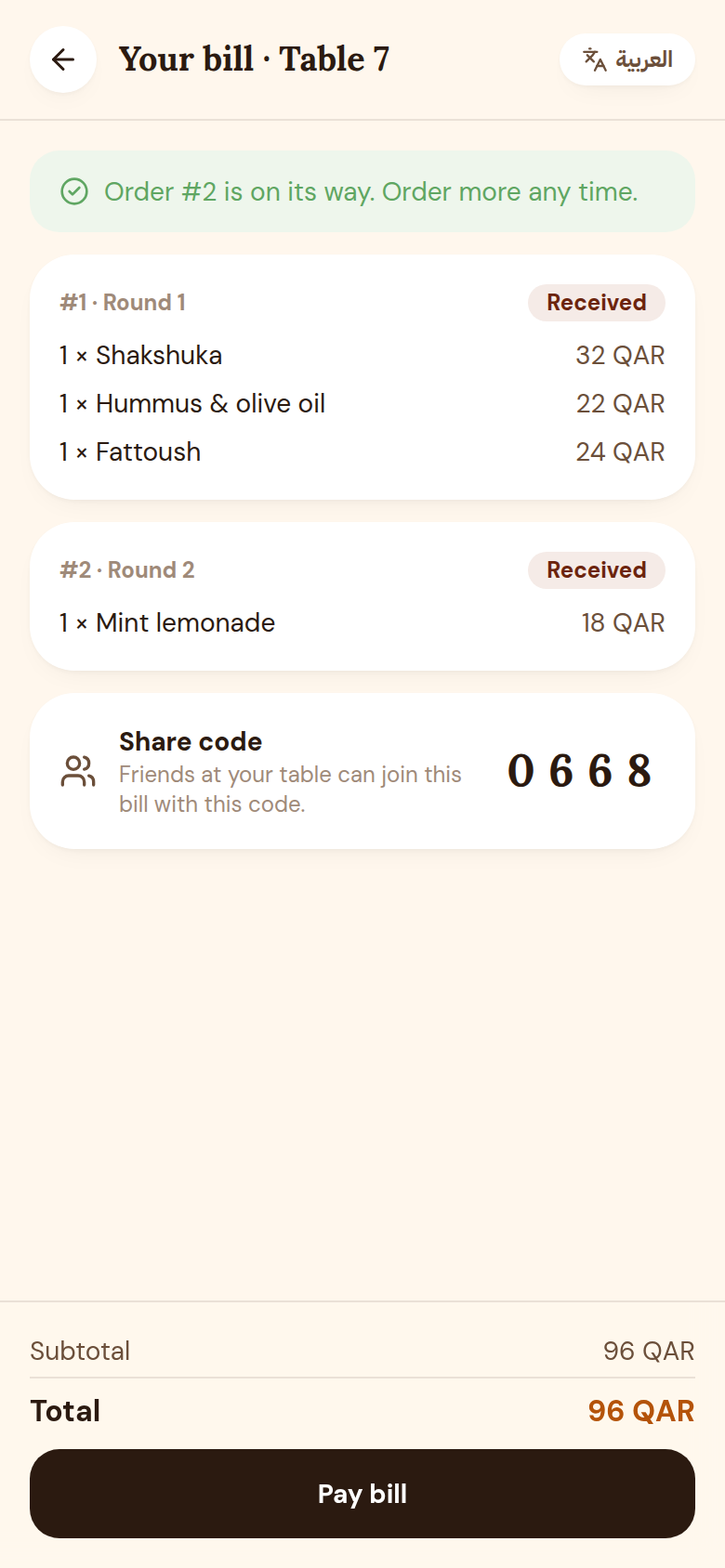
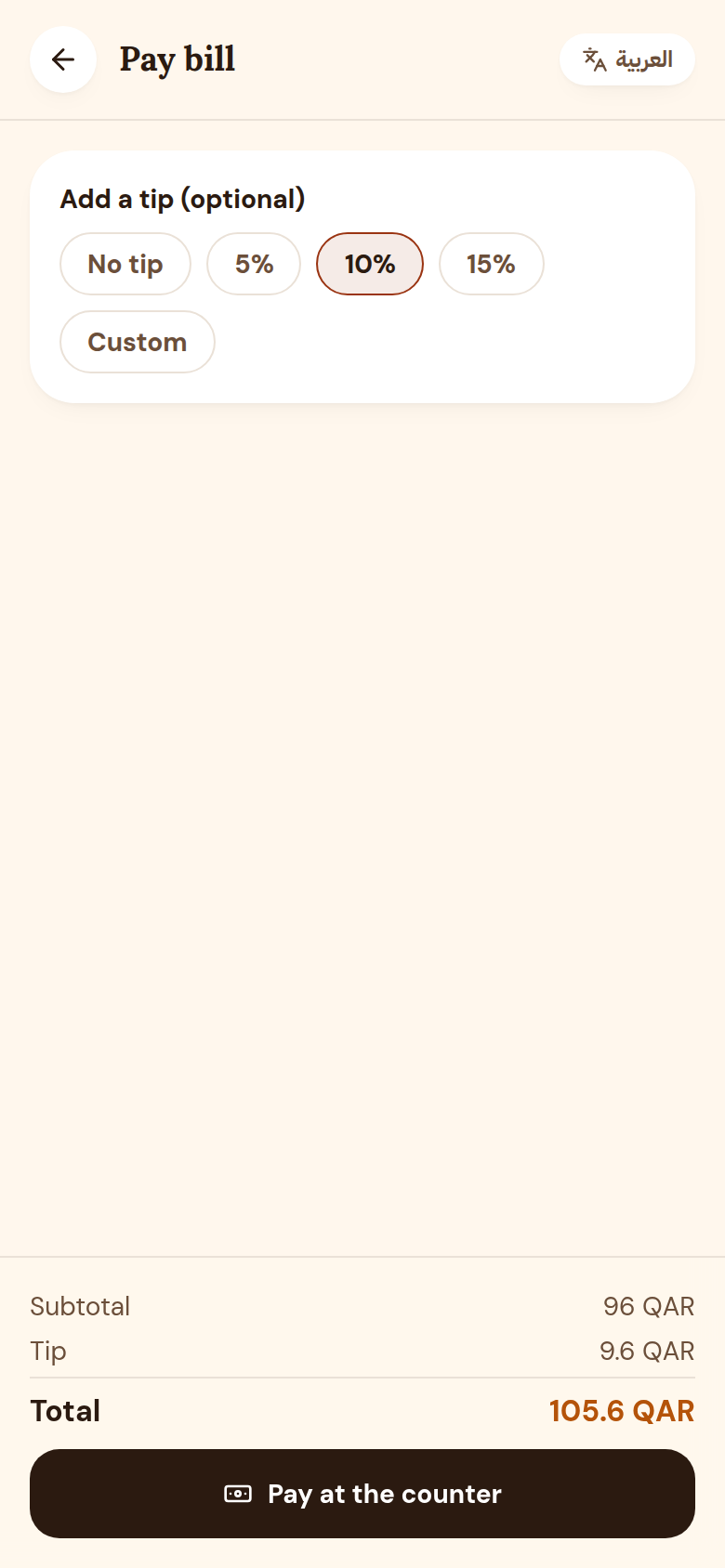
Guests see every round they ordered and its status. When they are done, one person pays the whole table, online with SkipCash or at the counter, and can add a tip and rate the waiter.
- No payment before ordering
- SkipCash or the counter
- Tips are always optional
How it works
From the table to the kitchen, and back to a paid bill.
- Order #0119:02
Scan the table QR
Every table has its own code. The menu opens on the guest’s phone: no app, no account.
- Order #0219:04
Order, and keep ordering
Each order goes to the kitchen at once. Another coffee later? It joins the same table bill.
- Order #0320:15
Pay one bill
Pay online with SkipCash or at the counter. Add a tip if you like, and rate the service.


Ready when your kitchen is.
Tell us about your place. We set up your account and send you your login.
Get started